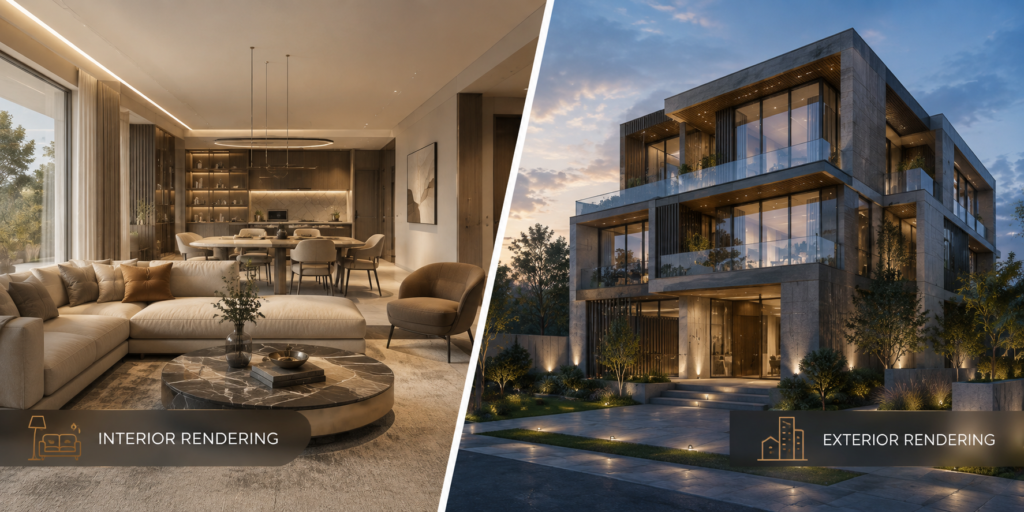
An architectural render can look impressive at first glance and still leave viewers with the wrong impression. A living room might appear larger than its floor plan allows. Stone cladding might look like polished plastic. An attractive entrance might disappear behind landscaping.
These details matter because developers, architects, and buyers use visualizations to understand a project before construction. When the imagery is unclear or inaccurate, decisions become harder.
The most useful renders combine visual appeal with architectural accuracy. Here are seven common mistakes to watch for, along with practical ways to prevent them.
1. Starting Without a Complete Brief
Rendering problems often begin before the first image exists. Outdated drawings, missing finish schedules, and vague instructions force artists to make assumptions. Those assumptions can become expensive revisions later.
Before commissioning 3D architectural rendering services, provide the latest plans, elevations, material references, and landscape information. Explain who will see the images and what each view needs to communicate.
A sales brochure may need welcoming lifestyle imagery, while a design review requires clear views of specific architectural features. Agree on priorities, deliverables, and approval stages before production starts.
2. Getting Scale and Proportions Wrong
An undersized sofa can make a modest apartment feel unusually spacious. Oversized trees can make a building appear smaller. Even decorative objects affect how viewers judge dimensions.
Check the model against the architectural drawings rather than relying on visual judgement alone. Furniture, doors, worktops, and ceiling heights should follow realistic measurements.
Leave believable space for movement, too. A dining arrangement that looks elegant but blocks access to the balcony does not explain the home honestly. Review circulation and furniture placement alongside the floor plan before approving styling.
3. Using Lighting That Hides the Architecture
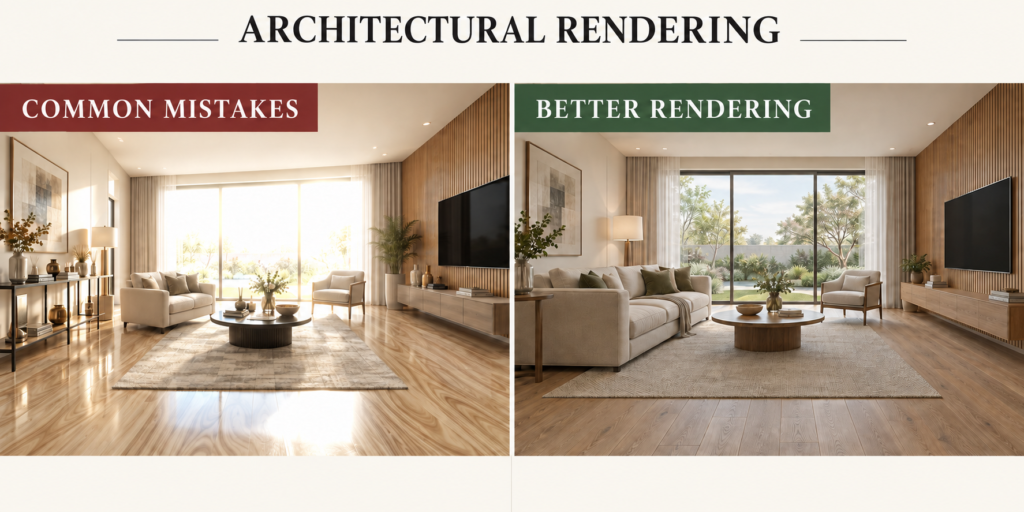
Overexposed windows, flat facades, and excessively dark corners can obscure the details a render should reveal. Adding more brightness everywhere rarely solves the problem.
Choose lighting conditions that suit the purpose of the image. Side lighting can reveal facade depth, while softer daylight may make interior finishes easier to assess. As Chaos explains in its exterior lighting guide, exposure and lighting choices influence how clearly materials and building forms read.
For location-specific presentations, check orientation and the intended time of day. A visually appealing sunset should not imply sunlight from an impossible direction.
4. Applying Materials Without Checking Their Behaviour
A convincing material needs more than the right colour. Timber grain, tile dimensions, stone patterns, and surface reflections all influence whether a finish feels believable.
Common problems include obvious texture repetition, oversized grain, and identical gloss across unrelated surfaces. Marble, painted plaster, and brushed metal should respond differently to light.
Compare rendered finishes with approved samples or manufacturer references. Check texture scale and direction, then review materials in both close views and wider compositions. Subtle variation helps, but avoid adding weathering that contradicts the intended condition of a new development.
5. Choosing Camera Angles That Misrepresent Space
A very wide camera view may capture an entire room, but it can stretch furniture near the edges and exaggerate distances. An extreme exterior angle can make height dramatic while concealing entrances or important setbacks.
When briefing 3D Exterior Rendering Services, request viewpoints that explain the building’s arrival, proportions, and relationship to the street. Use aerial views when they add useful context.
For interiors, select a viewpoint around a specific question: how rooms connect, where daylight enters, or how furniture fits. Several clear images are often more informative than one distorted overview.
6. Letting Styling Overwhelm the Design
Too many accessories, people, vehicles, or plants compete with the architecture. A heavily styled kitchen may hide the worktop finish, while dense planting can obscure the facade buyers need to understand.
A 3D interior rendering company should choose styling that supports the space and its intended audience. Furniture and accessories should establish scale and suggest everyday use without distracting from the layout.
Review the scene with a simple question: what should the viewer notice first? Remove anything that pulls attention away from that priority. Identify optional furniture or upgrades clearly in marketing materials.
7. Skipping a Structured Final Review
Small inconsistencies become easy to miss after several revision rounds. A balcony railing may differ between views, or an earlier kitchen finish may remain in the brochure image.
Review the complete image set against one approved reference package. Check geometry, finishes, landscaping, reflections, and labels. Consolidate feedback through a designated reviewer to reduce contradictory instructions.
Finally, inspect images at their intended display size. Details that look sharp on a large monitor may disappear on a mobile screen.
Make Accuracy Part of the Creative Process
Better architectural renders come from clear briefs, measured decisions, and timely reviews. Pixarch helps translate architectural plans into visuals that communicate space, materials, and project character. For your next project, start by defining what each image needs to explain.